oracledna
This post demonstrates the installing Oracle GoldenGate 19c for Oracle Database 19c on Linux server.
Environment
==========
Oracle DB: 19.27
Oracle GoldenGate: 19.1.0.0.4
OS: Oracle Linux 9.4
GoldenGate Architecture: Classic Architecture
Source Server: oggsrc
Target Server: oggtgt
1. Create a directory for GoldenGate home.
[oracle@oggsrc ~]$ mkdir -p /app/ogg19c
2. Unzip the Go;denGAte software
[oracle@oggsrc ~]$ cd /misc/oracle/
[oracle@oggsrc oracle]$ unzip V983658-01.zip
[oracle@oggsrc oracle]$ ls -lrt
total 543548
-rw-r–r–. 1 oracle oinstall 1413 May 29 2019 OGG-19.1.0.0-README.txt
drwxr-xr-x. 3 oracle oinstall 4096 Oct 18 2019 fbo_ggs_Linux_x64_shiphome
-rw-r–r–. 1 oracle oinstall 332523 Oct 21 2019 OGG_WinUnix_Rel_Notes_19.1.0.0.4.pdf
-rw-r–r–. 1 oracle oinstall 556240981 Apr 12 2020 V983658-01.zip
3. Install the GoldenGate software
[oracle@oggsrc oracle]$ cd /misc/oracle/fbo_ggs_Linux_x64_shiphome/Disk1/
[oracle@oggsrc Disk1]$ ls -lrt
total 16
drwxr-xr-x. 4 oracle oinstall 4096 Oct 18 2019 install
drwxr-xr-x. 12 oracle oinstall 4096 Oct 18 2019 stage
-rwxr-xr-x. 1 oracle oinstall 918 Oct 18 2019 runInstaller
drwxrwxr-x. 2 oracle oinstall 4096 Oct 18 2019 response
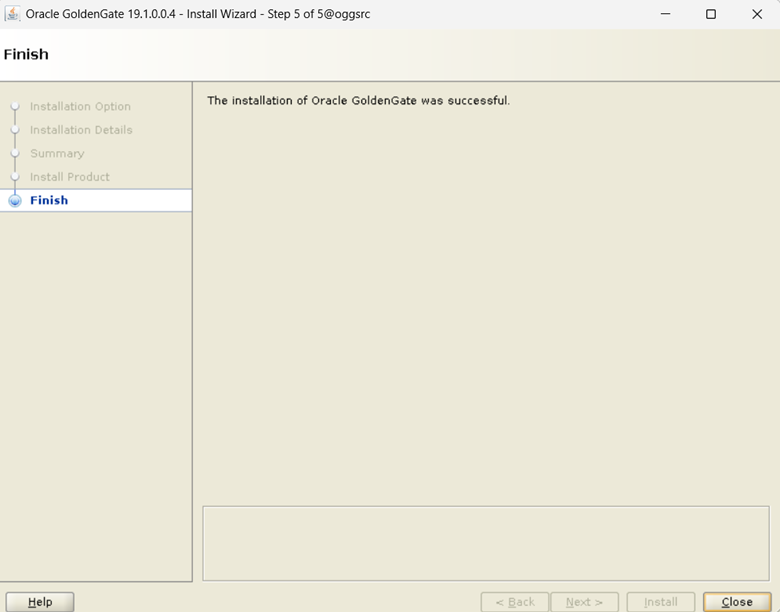
[oracle@oggsrc Disk1]$ ./runInstaller
Starting Oracle Universal Installer…
Checking Temp space: must be greater than 120 MB. Actual 3700 MB Passed
Checking swap space: must be greater than 150 MB. Actual 8191 MB Passed
Checking monitor: must be configured to display at least 256 colors. Actual 16777216 Passed
Preparing to launch Oracle Universal Installer from /tmp/OraInstall2026-11-14_08-21-28PM. Please wait …[oracle@oggsrc Disk1]$ You can find the log of this install session at:
/u01/app/oraInventory/logs/installActions2026-11-14_08-21-28PM.log
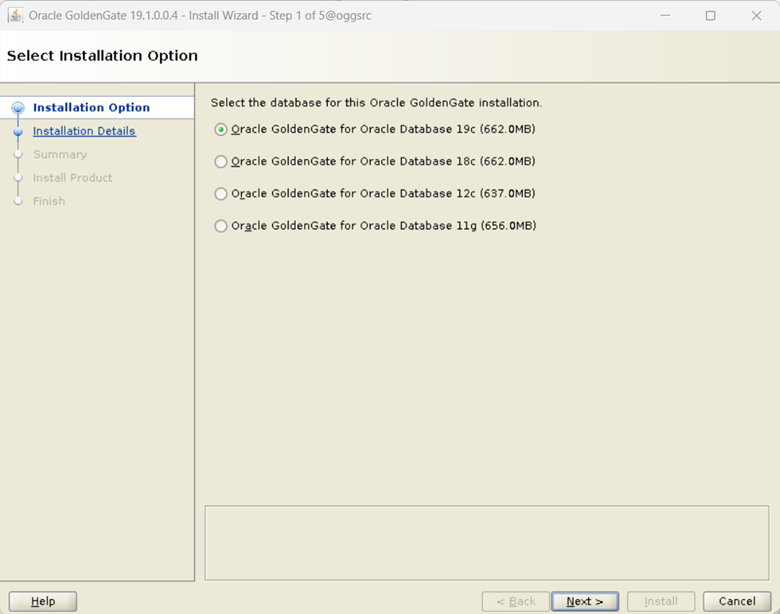
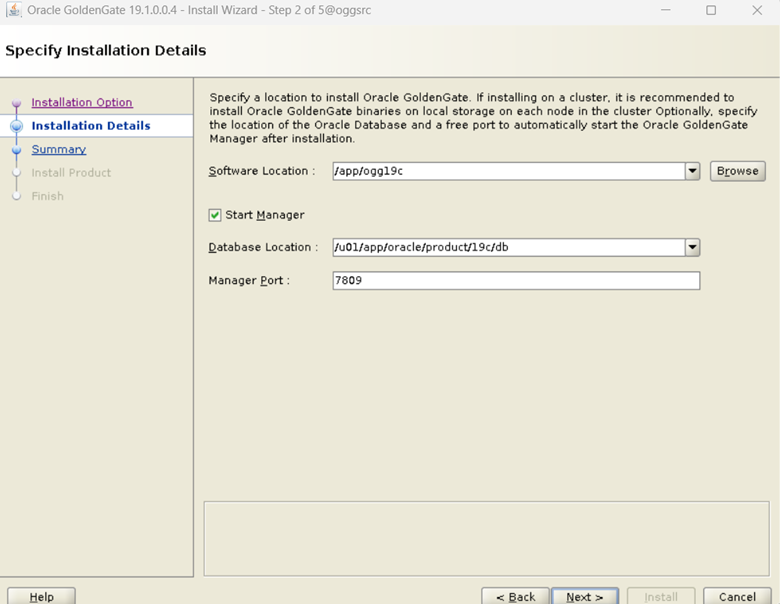
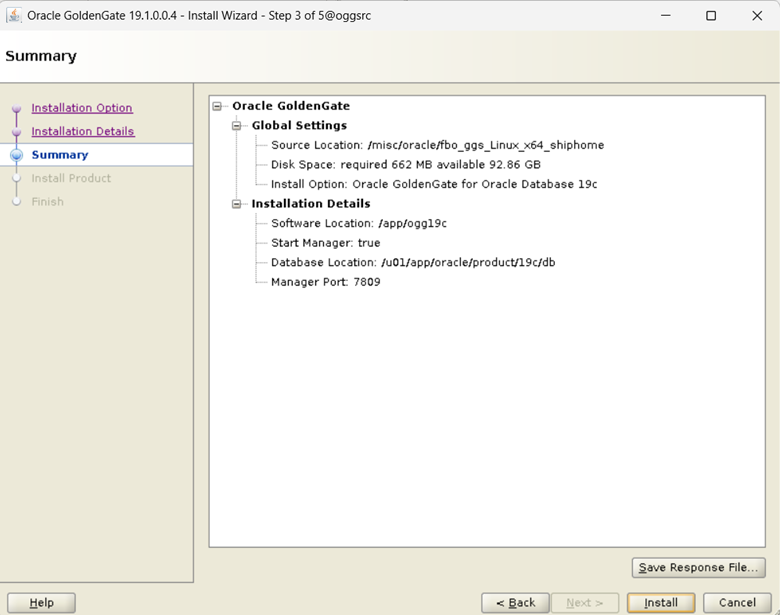
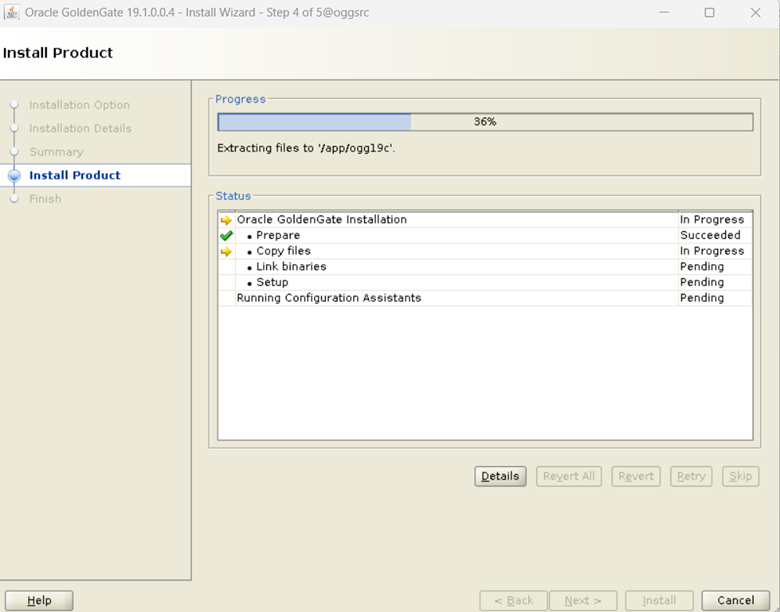
4. Check the Manager status.
–Make sure to set the export the ORACLE_HOME and LD_LIBRARY_PATH. If we missed to set, we will get below error while conencting to ggsci.
./ggsci: error while loading shared libraries: libnnz19.so: cannot open shared object file: No such file or directory
[oracle@oggsrc ~]$ export ORACLE_HOME=/u01/app/oracle/product/19c/db
[oracle@oggsrc ~]$ export LD_LIBRARY_PATH=$ORACLE_HOME/lib:$LD_LIBRARY_PATH
[oracle@oggsrc ~]$ cd /app/ogg19c/
[oracle@oggsrc ogg19c]$ ./ggsci
Oracle GoldenGate Command Interpreter for Oracle
Version 19.1.0.0.4 OGGCORE_19.1.0.0.0_PLATFORMS_191017.1054_FBO
Linux, x64, 64bit (optimized), Oracle 19c on Oct 17 2019 21:16:29
Operating system character set identified as UTF-8.
Copyright (C) 1995, 2019, Oracle and/or its affiliates. All rights reserved.
GGSCI (oggsrc) 1> info all
Program Status Group Lag at Chkpt Time Since Chkp
MANAGER RUNNING
GGSCI (oggsrc) 2> info mgr
Manager is running (IP port TCP:oggsrc.7809, Process ID 12106).
Manager is running and GoldenGate installation has been completed.
5. Install GoldenGate on target server.
Perform steps 1 to 4 on target server.
[oracle@oggtgt ~]$ export ORACLE_HOME=/u01/app/oracle/product/19c/db
[oracle@oggtgt ~]$ export LD_LIBRARY_PATH=$ORACLE_HOME/lib:$LD_LIBRARY_PATH
[oracle@oggtgt ~]$ cd /app/ogg19c/
[oracle@oggtgt ogg19c]$ ./ggsci
Oracle GoldenGate Command Interpreter for Oracle
Version 19.1.0.0.4 OGGCORE_19.1.0.0.0_PLATFORMS_191017.1054_FBO
Linux, x64, 64bit (optimized), Oracle 19c on Oct 17 2019 21:16:29
Operating system character set identified as UTF-8.
Copyright (C) 1995, 2019, Oracle and/or its affiliates. All rights reserved.
GGSCI (oggtgt) 2> info all
Program Status Group Lag at Chkpt Time Since Chkpt
MANAGER RUNNING
GGSCI (oggtgt) 3> info mgr
Manager is running (IP port TCP:oggtgt.7809, Process ID 7267).
GoldenGate Installation has been completed on both source and target servers.
Disclaimer:
Please note the above information is only for educational purpose and practised in personal test database only. Always test in test database before implementing in production database. The pre-requisites and ways of implementing may vary from one environment to another. Hence, not providing guarantee that it will work in your environment.